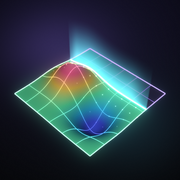
 Surface
Aim and lock
Point at the floor, wall or countertop. Surface Map finds the surface and locks a reference plane to it.
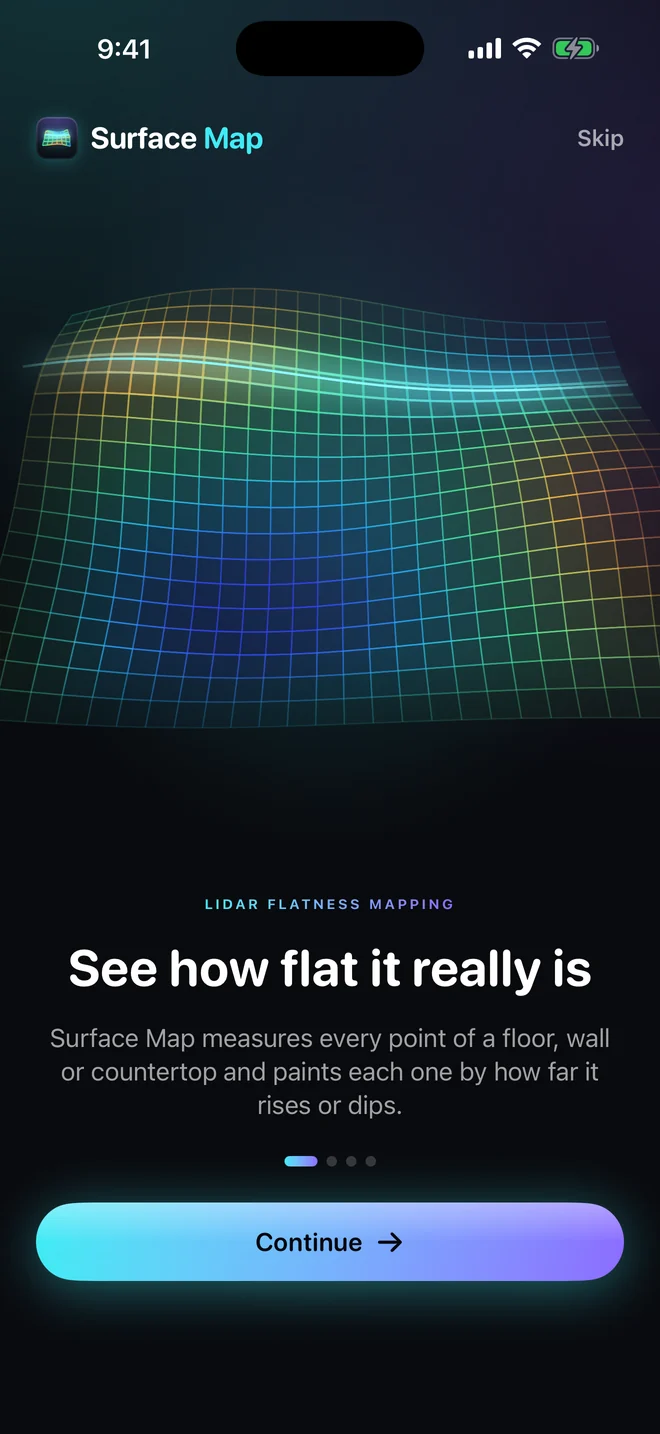
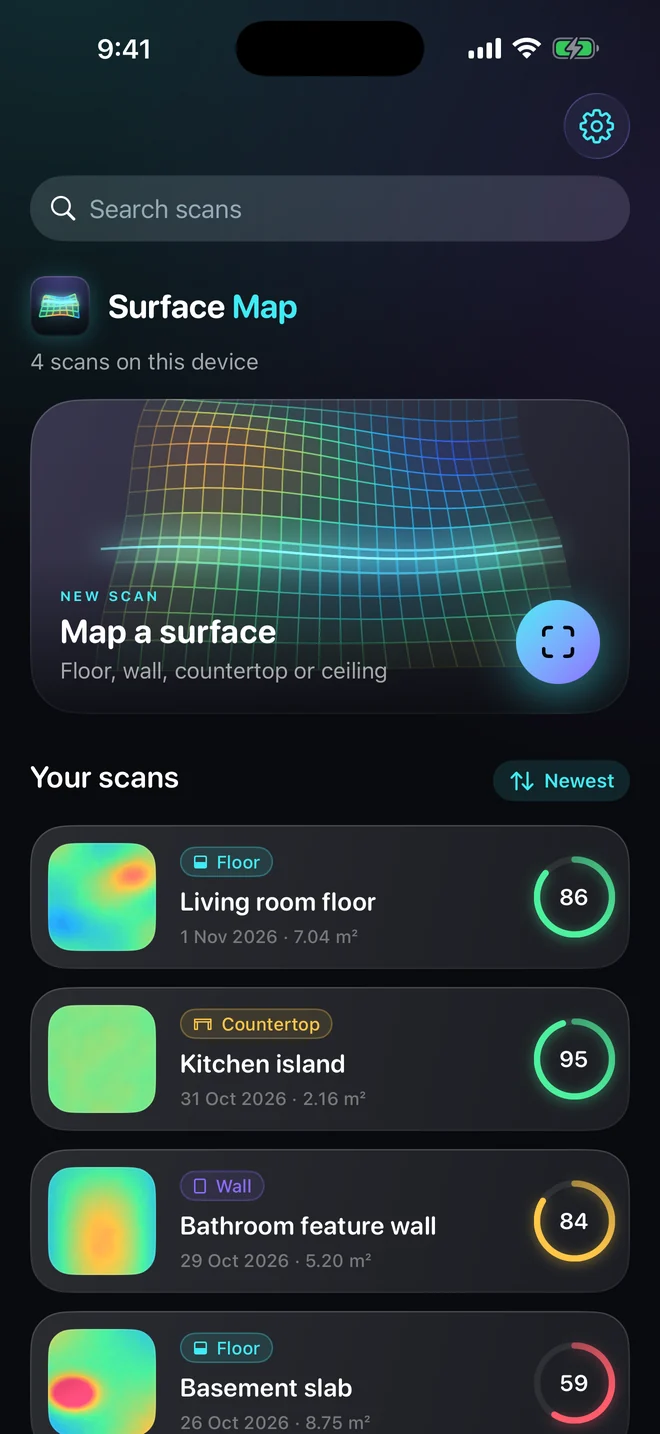
Sweep your iPhone across a floor, wall or countertop. Surface Map paints every bump and dip onto the surface in real time, measured to the millimetre.
Requires iPhone or iPad with LiDAR · Free to download · No account
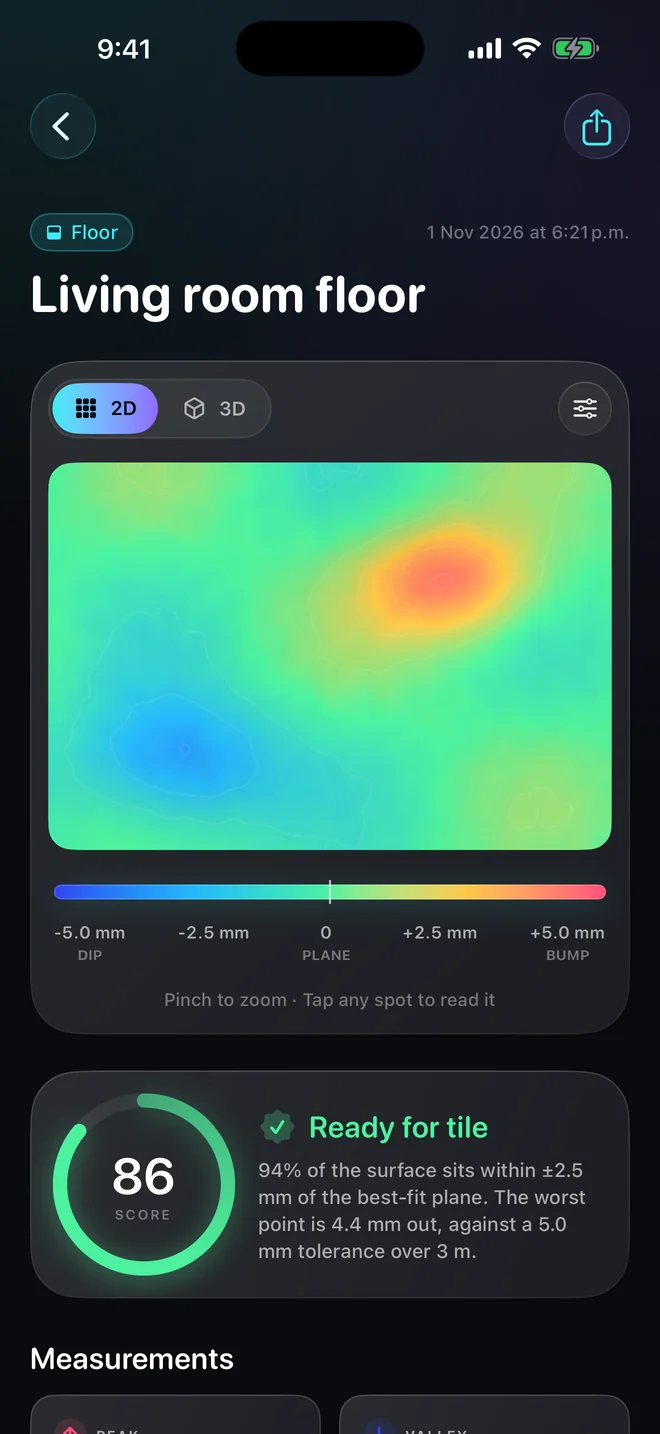
A straightedge checks one line at a time. Surface Map measures the whole surface in one pass and shows you exactly where to grind, fill or shim.
Point at the floor, wall or countertop. Surface Map finds the surface and locks a reference plane to it.
Move across the surface. The LiDAR scanner builds a mesh and the deviation heatmap appears on the real surface as you go.
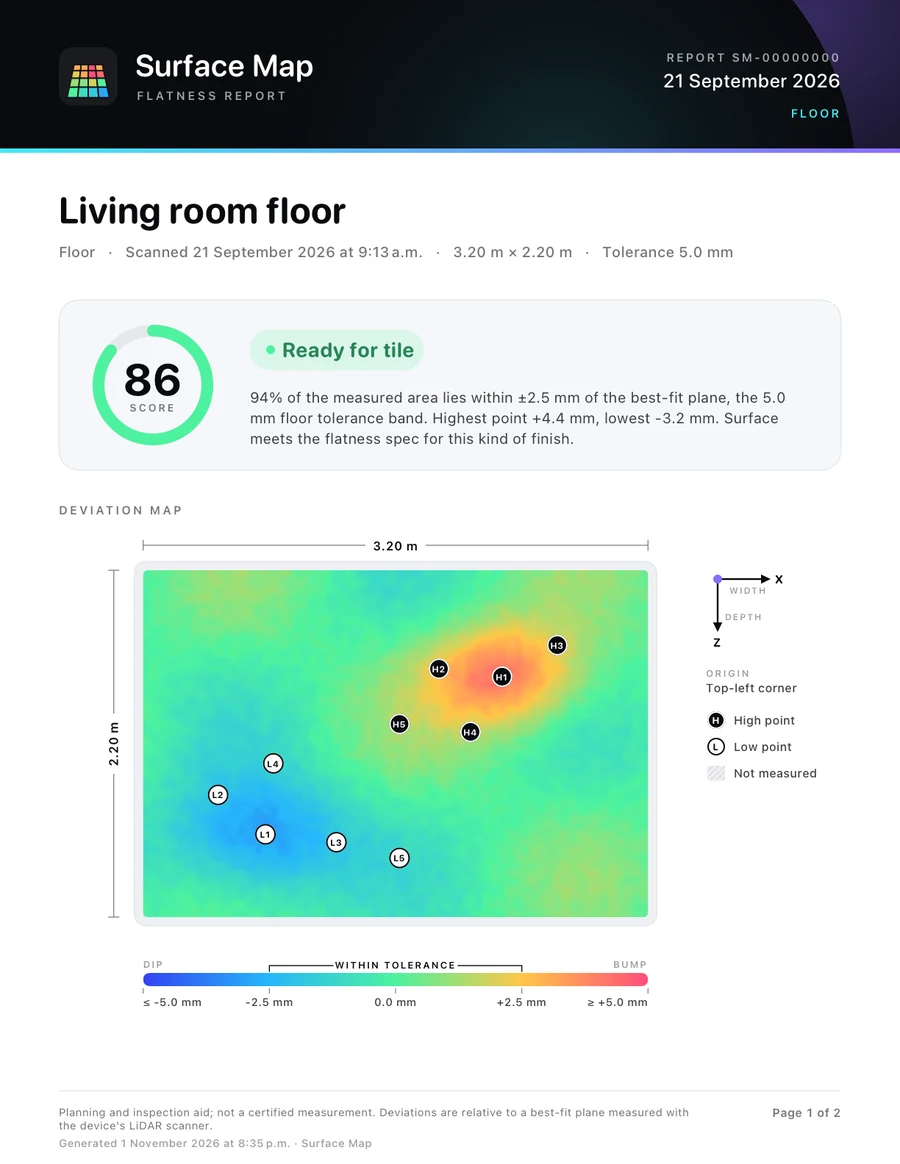
A 0–100 flatness score, the exact high and low points and plain advice like “Ready for tile” or “Needs levelling compound”.
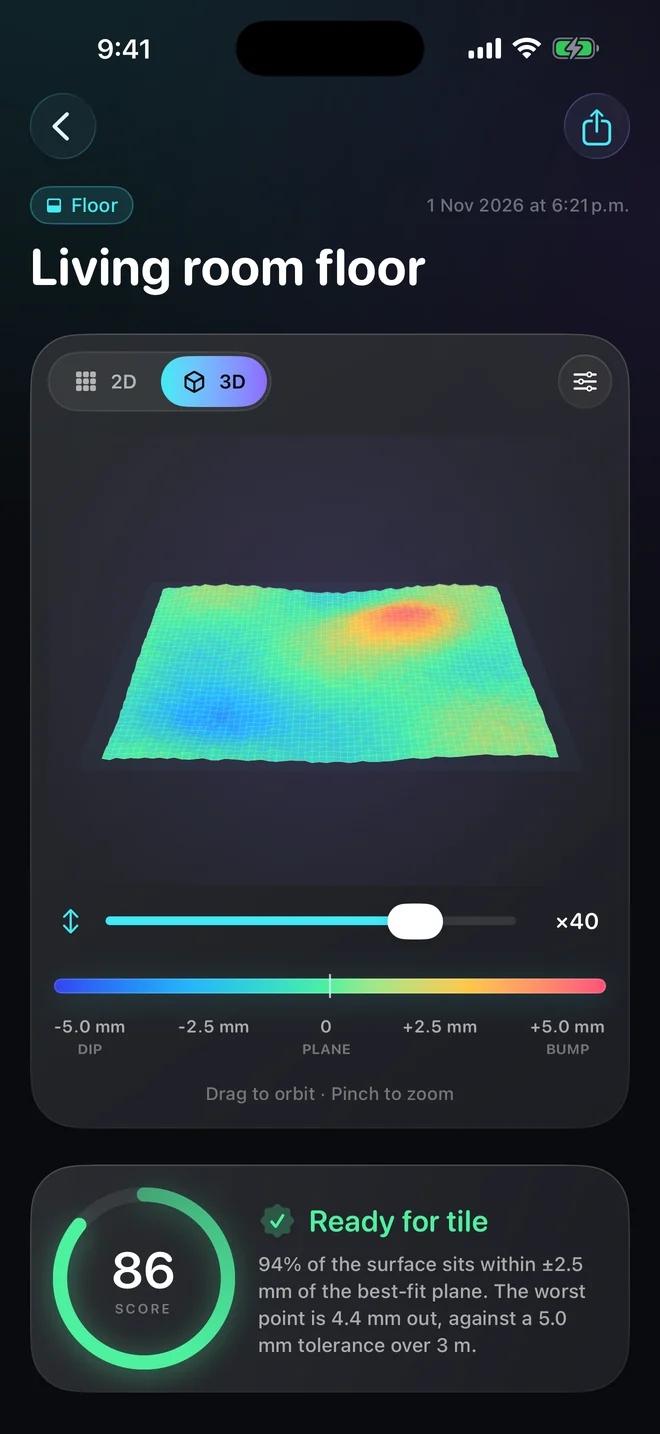
Deviations from the best-fit plane run from deep blue (low) through green (on plane) to magenta (high). Tap anywhere on the map to read the exact value, or orbit a 3D relief exaggerated up to 50×.
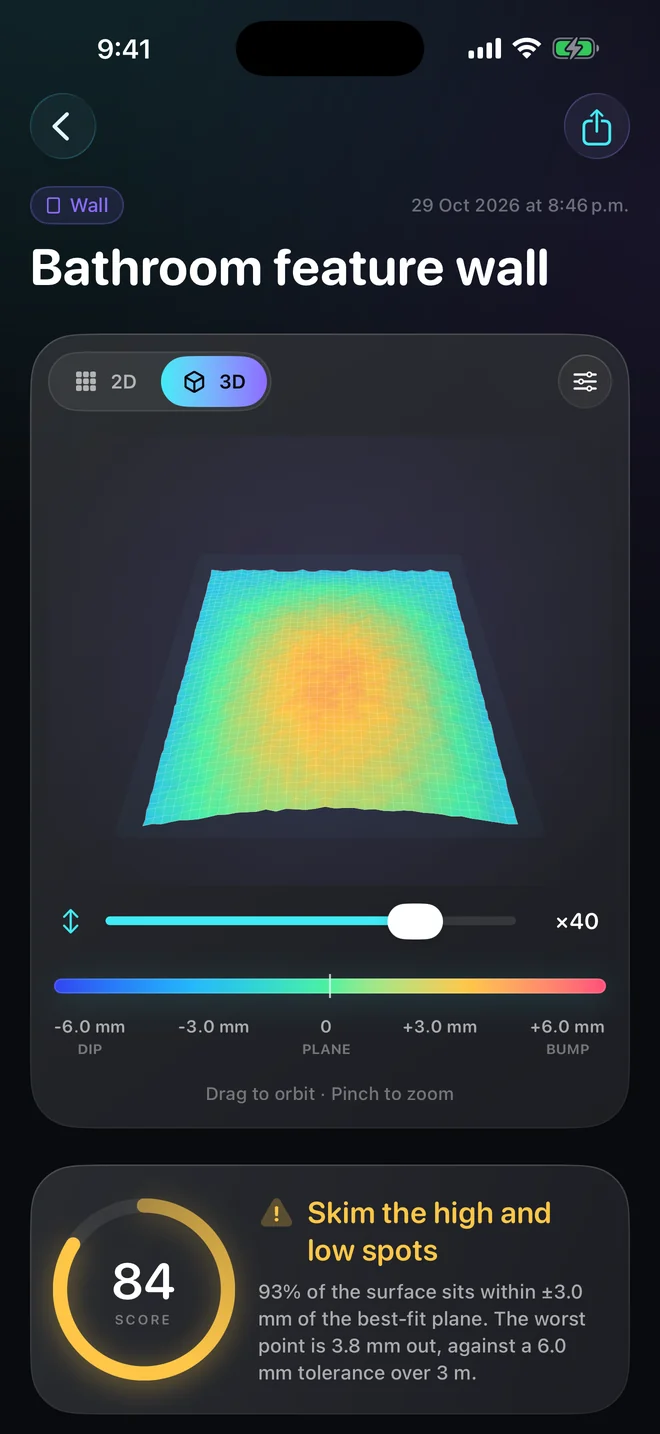
Each surface type has its own trade tolerance, so a countertop is held to a tighter standard than a ceiling. The score and the advice always agree.
Export a polished PDF with the deviation map, numbered high and low points, every statistic, your photo and notes. Or take the raw data with you.
Scan, see the heatmap and get your score for free. Upgrade when you need reports, 3D and your own tolerances.
$0
$29.99/year
or $4.99/month · or $49.99 once for lifetime
US prices shown; your local price appears in the app. Subscriptions renew automatically unless cancelled at least 24 hours before the end of the period and can be managed in your Apple Account settings. See the Terms of Use.
Surface Map works entirely on your iPhone or iPad. There's no account, no cloud and no tracking. Scans are shared only when you export them yourself.
Scanning needs the LiDAR scanner found on iPhone 12 Pro and later Pro models, and iPad Pro (2020) and later. Other devices running iOS 17 can install the app and explore everything with a sample scan.
Surface Map reliably shows humps, dips and out-of-level areas at the millimetre scale. Accuracy depends on the LiDAR hardware, lighting and how slowly you sweep. It is a planning and inspection aid, not a certified measuring instrument.
Common trade tolerances over a 3 m straightedge: 5 mm for floors, 6 mm for walls and ceilings and 3 mm for countertops. The score reflects how much of the surface sits within half that band.
Pro adds PDF reports and CSV/OBJ export, unlimited saved scans, the 3D relief view and custom tolerances for each surface type. Choose yearly (with a 7-day free trial), monthly, or a one-time lifetime purchase. Purchases are handled by Apple and can be restored on any of your devices.
No. Scanning and results work entirely on your device, and you never need to sign in. Buying or restoring Pro uses the App Store.
Yes. Export a PDF report, a CSV of the deviation grid or an OBJ mesh, and share it with any app on your device.

Surface Map is coming soon to the App Store for iPhone and iPad.
View on the App Store